Tuesday, November 8, 2011

Doing a manual uninstall of Lotus Notes 8.5.3

Disclaimer: I cannot be held responsible for the damage or loss of data resulting from this post. This post is provided for educational purposes.

The following link explains how to manually uninstall Lotus Notes. This is a last resort if you can't uninstall your client through add/remove or program and features.

Link

Below is quote of the instructions:


To clean a Notes or partial Notes install from your Microsoft® Windows® client, complete the following procedure:
  1. Delete all folders in the Notes \ except the \data folder.
  2. Back up the Notes \data folder and then delete all subdirectories in \data. Do not delete any root-level files from the Notes \data folder.
  3. If Notes appears in your Add/Remove Program panel, run the Windows installer cleanup utility located at Microsoft Help and Support.


However it doesn't explain how to remove the Lotus Nodes Diagnostics and the new Lotus Notes Smart Upgrade service from your windows services.

This is where the sc command comes in handy. To remove the Lotus Notes Diagnostics service, first make sure the services are not running ( actually you need to make sure they are not running when you follow the steps in the link above ) Next open a command prompt and issue the command:

sc delete "Lotus Notes Diagnostics"

and you should get a response:

[SC] DeleteService SUCCESS

The double quotes are required. However when you do the same for the Lotus Notes Smart Upgrade Service

sc delete "Lotus Notes Smart Upgrade Service"

you get the error:

[SC] OpenService FAILED 1060:


The specified service does not exist as an installed service.

Even doing a

sc query

you can't find the service name but it shows in your services.
To fix this, right click on the Lotus Notes Smart Upgrade Service and go to properties. Take note of the service name. It says LNSUSvc. Now try:

sc delete LNSUSvc

and that works with [SC] DeleteService SUCCESS


That is it. Hope this helps someone out there!

Lotus Notes 8.5.3 InstallShield issues

It looks like 8.5.3 AllClient ( Notes client, admin, designer ) and Notes Client was shipped without the .itw file used for InstallShield. By accident I used the default.itw that came with the Install Shield program. If you do this you get an error like this:


"Tuner is unable to open the 'D:\temp\LotusNotes853AllClient\Lotus Notes 8.5.3.msi' MSI file. The ITW file prohibits opening of the MSI file."

And


"No Msi database is currently opened"

Also I tried using the 8.5.2 All Client "LotusNotes.itw" file because I read in a post somewhere that it would work. However, I get the same error:


Last I finally found a post to download the 8.5.3 itw file. Grab the lotusnotes8.5.3.itw here


Monday, October 10, 2011

Smart upgrade AllClient issue

I've been having an issue with smart upgrades with my secondary desktop. When I manually force the client to check for smart upgrade kits, it always came back saying:


There are no updates available for your notes client release 8.5.2FP1. There were no matching kits found in the smart upgrade database smartupgradedb.nsf on server1/org

I checked the InstallType and it was 2, checked the upgrade kit and it was set to Allclient. I get the notification on my main pc so I know it's not a rights issue. I checked the smartupgrade.log on my client:


TM=SUGetSmartUpgradeKitsInfo: SUSearchDownloadDBForKits: 'CN=server1/O=org!!smartupgradedb.nsf' '$activekits' error: There were no matching kits found in the Smart Upgrade database %s on %a.
..

TM=Error accessing Smart Upgrade database server1/org smartupgradedb.nsf

TM=SUSmartUpgrade: SUGetSmartUpgradeKitsInfo: error: There were no matching kits found in the Smart Upgrade database %s on %a.


...


IN=ErrorMessage IV=There are no updates available for your Notes client Release 8.5.2FP1. There were no matching kits found in the Smart Upgrade database smartupgradedb.nsf on server1/org.
...


Nothing really apparent in there. Then I opened my smart upgrade tracking database on my home server. Looked at my secondary pc failed attempts and found type:

Type: All Client (Notes Client, Admin Client, Designer) Basic Configuration

where my main desktop has a type of:

Type: All Client (Notes Client, Admin Client, Designer)


Ah ha! So for some reason my Lotus Notes AllClient is registering as a basic configuration install! This might be something residual from when I loaded the full AllClient basic configuration on 8.0.2 but that was years ago. So I installed 8.0.2 Allclient basic on a test machine, saved the notes.ini, uninstalled, installed 8.0.2 Allclient Standard and saved the notes.ini. Using ultraedit, I compared the two files and the only significant difference between the two notes.ini's was a parameter called "InstallMode". After some Google searching around I found the ini parameter but no description. The Allclient standard install set InstallMode=1. The Allclient basic set InstallMode=0.

On my secondary desktop I could not find the InstallMode parameter in my notes.ini. So I added InstallMode=1. Once I added InstallMode=1, smartupgrade found the upgrade kit with no issues.

Monday, September 26, 2011

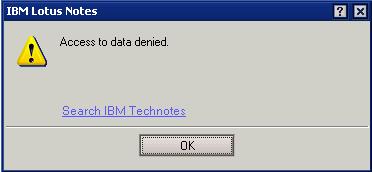
"Access to data denied" error when copying documents

Last week I ran into a very strange error on someone's Lotus Notes Citrix client ( version 8.5 ). When he would try to copy a document, Lotus Notes would generate an error "Access to data denied" and the document wasn't copied.


At first I figured it was a custom message on that specific database. However, I found that he could not copy any documents from other databases. I tried closing notes and re-opening and that didn't fix the issue.


My first thought was the clipboard file was corrupt. The clip board file is generated every time a Lotus Notes user copies documents. This file is located in the Lotus Notes user's /data/ folder and it is named ~clipbrd.ncf. In this instance ~clipbrd.ncf already existed in the /data/ folder. I deleted the file. I then tried to copy a document and it worked.

Wednesday, August 10, 2011

Switching users and managed replicas - 8.5.2 FP2

In my Lotus Notes client I have multiple location documents with links to notes.id when I am switching between Domino domains and servers. This saves me the hassle of reconfiguring a new client just for that Domino domain. The problem is my current setup is not configured for managed replica but one the user accounts I use is.

The other day I tried to open that user's managed replica mail file on their server using my current location and notes.id. The result? Very odd behavior. I was able to open the mail database on the server using my admin client without any errors. I check the bottom left location information for "on local" or "on server/server" and it shows "on server/server". When I click on File > Application > Properties I get the server field as server/server and type is Standard. I click on encryption settings and it says it's not encrypted. However when I go to click on a different folder ( or the same highlighted folder when I opened the database) I get "This database has local access protection (encrypted) and you are not authorized to access it" error.


I click Ok on the message and that folder is highlighted but I still see the contents of the folder that opened when I opened the database. Every folder I click on I get the above error but it still only shows the contents of the folder when I opened the database. Last I'm able to open documents in that original folder without errors. 

The issue must be with the client because the managed replica is stored on my Lotus Notes client and it is encrypted using my other location's notes.id. It seems that the getfolder function the client executes on the server's copy of the mail file is interrupted and redirected to the managed replica stored locally regardless of who is signed in. I'm guessing this is by design, just wish there was a way for IBM to code something to check the current location or current notes id and stop that from happening.

Friday, July 8, 2011

Google+ invites are back!

They're back! Quick, invite your friends!

Tuesday, July 5, 2011

Lotus Notes not showing when launched

Recently I had an issue with someone's Lotus Notes client not loading. They would double click their Lotus Notes icon, only the Lotus Notes splash screen / loading screen showed and the user could enter their password. After the password was entered, the splash screen disappeared. Then I would see nlnotes.exe and notes2.exe in the task manager, but Lotus Notes still didn't show.

I had the user reboot and that didn't work. Next I tried loading Lotus Notes 8.5.2 since they were at 8.5.1 and that didn't work. Next I reconfigured their client by erasing all lines in their notes.ini except the top 10, deleting ( moving ) all .nsf files in their data folder, and deleting ( moving ) all .ndk files. That didnt' work. Finally I deleted ( moved )the "workspace" folder in their /data/ folder. That finally worked. The workspace folder was about 2.5 gb!