Wednesday, November 13, 2024

Home (development) automation project

 It's been a long time since I posted here. My goal is to post a blog entry once a week. 

Currently I am working on creating a Minikube stand alone server using VMware workstation. I am running Ubuntu 24.01. So far things are going well. I am documenting the steps to setup Minikube using Notebook LM. I really like Notebook LM, the AI chat is pretty good. 

Back to the Minikube project, I have a few items I need to research. My goal is to complete the following 2 items next week or at the very least, learn enough to know if I need to change my approach.

  • Stop using DHCP for the bridge network adapter for the VMWare Ubuntu VM. I'm able to work around this using the DNS name. However, when running the dashboard-proxy, I get failures due to the IP address changing. 
    • This should be pretty easy, I just need to figure out the DHCP range my router uses and choose an IP that is not within the range.
  • While I was able to connect to some services, I would like to learn more about the egress and hopefully use third level domain naming.
    • This will take some time, I haven't tried customizing a DNS server. I have the basic concepts on how DNS works, but I am excited to learn how that works!

For reference, this is the dashboard-proxy error

error: error upgrading connection: error dialing backend: tls: failed to verify certificate: x509: certificate is valid for XXX.XXX.XXX.20, <IP6-address>, not XXX.XXX.XXX.43
Traceback (most recent call last):
  File "/snap/microk8s/7394/scripts/wrappers/dashboard_proxy.py", line 111, in <module>
    dashboard_proxy()
  File "/snap/microk8s/7394/usr/lib/python3/dist-packages/click/core.py", line 764, in __call__
    return self.main(*args, **kwargs)
  File "/snap/microk8s/7394/usr/lib/python3/dist-packages/click/core.py", line 717, in main
    rv = self.invoke(ctx)
  File "/snap/microk8s/7394/usr/lib/python3/dist-packages/click/core.py", line 956, in invoke
    return ctx.invoke(self.callback, **ctx.params)
  File "/snap/microk8s/7394/usr/lib/python3/dist-packages/click/core.py", line 555, in invoke
    return callback(*args, **kwargs)
  File "/snap/microk8s/7394/scripts/wrappers/dashboard_proxy.py", line 105, in dashboard_proxy
    check_output(command)
  File "/snap/microk8s/7394/usr/lib/python3.8/subprocess.py", line 415, in check_output
    return run(*popenargs, stdout=PIPE, timeout=timeout, check=True,
  File "/snap/microk8s/7394/usr/lib/python3.8/subprocess.py", line 516, in run
    raise CalledProcessError(retcode, process.args,
subprocess.CalledProcessError: Command '['/snap/microk8s/7394/microk8s-kubectl.wrapper', 'port-forward', '-n', 'kube-system', 'service/kubernetes-dashboard', '10443:443', '--address', '0.0.0.0']' returned non-zero exit status 1.


Wednesday, December 30, 2020

Pixi JS sprite click and drag mouse issue

 I've started a new project with Pixi JS. I've used this tutorial (along with a lot of stack overflow)

https://github.com/kittykatattack/learningPixi

and it's been a great site to get a better understanding of HTML5 development with pixi js framework. However, I ran into an issue with clicking an dragging sprites. The example the Pixi JS site 

https://pixijs.io/examples/#/interaction/dragging.js

 1
 2
 3
 4
 5
 6
 7
 8
 9
10
11
12
13
14
15
16
17
18
19
20
21
22
23
24
25
26
27
28
29
30
31
32
33
34
35
36
37
38
39
40
41
42
43
44
45
46
47
48
49
50
51
52
53
54
55
56
57
58
59
60
61
62
63
64
65
66
67
68
69
70
71
72
73
74
75
76
77
78
79
80
81
82
83
const app = new PIXI.Application({ backgroundColor: 0x1099bb });
document.body.appendChild(app.view);

// create a texture from an image path
const texture = PIXI.Texture.from('examples/assets/bunny.png');

// Scale mode for pixelation
texture.baseTexture.scaleMode = PIXI.SCALE_MODES.NEAREST;

for (let i = 0; i < 10; i++) {
    createBunny(
        Math.floor(Math.random() * app.screen.width),
        Math.floor(Math.random() * app.screen.height),
    );
}

function createBunny(x, y) {
    // create our little bunny friend..
    const bunny = new PIXI.Sprite(texture);

    // enable the bunny to be interactive... this will allow it to respond to mouse and touch events
    bunny.interactive = true;

    // this button mode will mean the hand cursor appears when you roll over the bunny with your mouse
    bunny.buttonMode = true;

    // center the bunny's anchor point
    bunny.anchor.set(0.5);

    // make it a bit bigger, so it's easier to grab
    bunny.scale.set(3);

    // setup events for mouse + touch using
    // the pointer events
    bunny
        .on('pointerdown', onDragStart)
        .on('pointerup', onDragEnd)
        .on('pointerupoutside', onDragEnd)
        .on('pointermove', onDragMove);

    // For mouse-only events
    // .on('mousedown', onDragStart)
    // .on('mouseup', onDragEnd)
    // .on('mouseupoutside', onDragEnd)
    // .on('mousemove', onDragMove);

    // For touch-only events
    // .on('touchstart', onDragStart)
    // .on('touchend', onDragEnd)
    // .on('touchendoutside', onDragEnd)
    // .on('touchmove', onDragMove);

    // move the sprite to its designated position
    bunny.x = x;
    bunny.y = y;

    // add it to the stage
    app.stage.addChild(bunny);
}

function onDragStart(event) {
    // store a reference to the data
    // the reason for this is because of multitouch
    // we want to track the movement of this particular touch
    this.data = event.data;
    this.alpha = 0.5;
    this.dragging = true;
}

function onDragEnd() {
    this.alpha = 1;
    this.dragging = false;
    // set the interaction data to null
    this.data = null;
}

function onDragMove() {
    if (this.dragging) {
        const newPosition = this.data.getLocalPosition(this.parent);
        this.x = newPosition.x;
        this.y = newPosition.y;
    }
}

has bunny's that you can click on and drag. However, if you click on the lower right leg of the bunny and start to drag, the sprite jumps so that the center of the bunny is where the mouse is:

It seems trivial but when you are using larger sprites, it becomes borderline non-functional. Looking at the code you can see bunny.anchor.set(0.5) will move the sprite's anchor to the center instead of the top left. If you comment this out, you will see the the bunny jump more when you attempt to click and drag.

So how to fix this? So far I haven't been able to find a mouse location related to sprint you are clicking on. However, you can extract the mouse location for the app (screen area) and the sprite's location. From this, you can calculate an offset x and y coordinate when to initially mouseDown and drag. The offset helps update the anchor coordinate to prevent the jumping around of the sprite like so


Here is the updated code. Hope this helps someone!

 1
 2
 3
 4
 5
 6
 7
 8
 9
10
11
12
13
14
15
16
17
18
19
20
21
22
23
24
25
26
27
28
29
30
31
32
33
34
35
36
37
38
39
40
41
42
43
44
45
46
47
48
49
50
51
52
53
54
55
56
57
58
59
60
61
62
63
64
65
66
67
68
69
70
71
72
73
74
75
76
77
78
79
80
81
82
83
84
85
86
87
88
89
90
91
92
93
94
95
96
const app = new PIXI.Application({ backgroundColor: 0x1099bb });
document.body.appendChild(app.view);

// create a texture from an image path
const texture = PIXI.Texture.from('examples/assets/bunny.png');

// Scale mode for pixelation
texture.baseTexture.scaleMode = PIXI.SCALE_MODES.NEAREST;

// Sprite drag offset
let spriteMouseLocationOffsetX = 0;
let spriteMouseLocationOffsetY = 0;


for (let i = 0; i < 10; i++) {
    createBunny(
        Math.floor(Math.random() * app.screen.width),
        Math.floor(Math.random() * app.screen.height),
    );
}

function createBunny(x, y) {
    // create our little bunny friend..
    const bunny = new PIXI.Sprite(texture);

    // enable the bunny to be interactive... this will allow it to respond to mouse and touch events
    bunny.interactive = true;

    // this button mode will mean the hand cursor appears when you roll over the bunny with your mouse
    bunny.buttonMode = true;

    // center the bunny's anchor point
    bunny.anchor.set(0.5);

    // make it a bit bigger, so it's easier to grab
    bunny.scale.set(3);

    // setup events for mouse + touch using
    // the pointer events
     bunny
        .on('pointerdown', onDragStart)
        .on('pointerup', onDragEnd)
        .on('pointerupoutside', onDragEnd)
        .on('pointermove', onDragMove);

    //For mouse-only events
    // .on('mousedown', onDragStart)
    // .on('mouseup', onDragEnd)
    // .on('mouseupoutside', onDragEnd)
    // .on('mousemove', onDragMove);

    // For touch-only events
    // .on('touchstart', onDragStart)
    // .on('touchend', onDragEnd)
    // .on('touchendoutside', onDragEnd)
    // .on('touchmove', onDragMove);

    // move the sprite to its designated position
    bunny.x = x;
    bunny.y = y;

    // add it to the stage
    app.stage.addChild(bunny);
}

function onDragStart(event) {
    // store a reference to the data
    // the reason for this is because of multitouch
    // we want to track the movement of this particular touch
    this.data = event.data;
    this.alpha = 0.5;
    this.dragging = true;
    // get the mouse coursor location within the window
    const appCursorLocation = this.data.getLocalPosition(this.parent);
    // calculate the offset with the app cursor location - sprite location
    spriteMouseLocationOffsetX = appCursorLocation.x - this.x 
    spriteMouseLocationOffsetY = appCursorLocation.y - this.y 
}

function onDragEnd() {
    this.alpha = 1;
    this.dragging = false;
    // set the interaction data to null
    this.data = null;
    spriteMouseLocationOffsetX = 0;
    spriteMouseLocationOffsetY = 0;
}

function onDragMove() {
    if (this.dragging) {
        const newPosition = this.data.getLocalPosition(this.parent);
        // adjust the sprite prosition using the offset
        this.x = newPosition.x - spriteMouseLocationOffsetX;
        this.y = newPosition.y - spriteMouseLocationOffsetY;
    }
}


Thursday, September 5, 2019

Back from my blogging hiatus

Hello, I'm back from my blogging hiatus. Lots of things have happened in the last 7 years. I've been more focused on software development using Java and Spring framework. I'm starting to put together some new blog entries around my development experiences and also my home development environment.
Currently I have 2 raspberry pie 3b machines that are used for my development environment at home. One is a nas and the other is a Jenkins server. I also started using an old laptop for gitlab due to the ram requirements. Working with raspberry pies have been a little difficult due to a lot of docker images are not built for arm and I had to do my best at re-creating the Dockerfile.
Anyways, I'm going to be adding more content soon.

Monday, July 22, 2013

Saving profile documents difference between Java and LotusScript/Formula

I ran across an issue that has been driving me nuts! I'm not sure if this is an error or by design. When I am working with profiledocuments in LotusScript and Formula languages, I can pull the profile document without giving a unique key parameter because it isn't required.

However, in Java, I can pull that same profile document, using "" as a unique key because it's required, read the correct values, and save it. However, when I save the profile document in Java, it doesn't update the profile document that the LotusScript and Formula languages. It seems to save a profile document separate from the LotusScript and Formula.

After I save the Java version of the profile document, I can only retrieve the Java version. When I open the profile document using LotusScript / Formula, it only retrieves the LotusScript / Formula version. Even after using getprofiledocumentcollection shows only one document, the one that will show depends on the language you are using.

However, when I start using a unique key, this problem goes away. ug. Anyone else had this issue or found a fix?
New job

I accepted a new job back in December 2012 that does not involve Lotus Notes/Domino. So unfortunately I won't be posting any more on Lotus Notes/Domino. In the next month I will try and finish up my draft posts from over the years and post them. I will still answer any questions anyone has.

Sunday, September 2, 2012

Windows file share error "the referenced account is currently locked out and may not be logged on to"

I see this error from time to time when connecting to a network share from a new Windows 2008 server to an old Windows server. However, I can usually connect using \\servername from the old server to the new server. After a few times of putting in my password to connect, the user account on the old Windows server becomes locked out. So then I get the error message "Account is currently locked out and may not be logged on to".

I also get the error "the specified network password is not correct". This error message led me to the correct answer. Since the issue happened on a Windows server 2008, I followed the procedure in the reference link below:

1. run secpol.msc
2 Navigate to Local Policies > Security options > Network security: LAN manager authentication. On my Windows 2008 server, it was blank
3. Next I selected NTLMV2 session secure if negotiated

No reboot needed, it started working after the change. After I was finished copying files, I change it to "NTVLM2 responses only" value.


reference:
http://serverfault.com/questions/91797/windows7-the-specified-network-password-is-not-correct-when-the-password-is

Wednesday, August 22, 2012

Lotus Connections / IBM HTTP Server (Apache) root directory redirect to application

When configuring Lotus Connections to use IBM HTTP server, it's always annoyed me that when typing in the URL minus an application, it takes me to an IBM HTTP server help screen. I've configured a redirect in Lotus Connections 2.5, however, I was unable to find my documentation. There are a few ways to accomplish this but I'm going to cover the one that works best for me. ( might not be the best solution for you ) So this post is how to configure a URL redirect / rewrite from the root / to an application ( /homepage ) in Lotus Connections using IBM HTTP server.

1. First, locate your httpd.conf file the IBM HTTP Server is using. to load the module for redirect / rewrite, locate the line that says 

#LoadModule rewrite_module modules/mod_rewrite.so

and remove the # to uncomment

LoadModule rewrite_module modules/mod_rewrite.so

2. Next, locate the line that says DocumentRoot


and place a # in front of the line to comment it out.


3. Next locate the VirtualHost *:443
FYI,  blogger.com won't let me post the correct syntax for the VirtualHost *:443, please see the image below for the correct syntax
VirtualHost *:443
Servername lc.ozzyblogger.com
SSLEnable
/VirtualHost


and add two lines

VirtualHost *:443
Servername lc.ozzyblogger.com
SSLEnable
RewriteEngine on
RewriteRule ^/$ /homepage [R,L]
/VirtualHost

This will load the lc.theozzyblogger.com/homepage application when you type lc.ozzyblogger.com/ in the url  btw lc.theozzyblogger.com is not a real website, just an example :)

Note:

^ is the beginning of the line 
$ is the end of the line 
. is any single character except new line 
* is zero or more of character

4. Last, create a virtualhost entry for all port 80 requests to redirect to SSL at the end of the file

FYI, blogger.com won't let me post the correct syntax for the VirtualHost *:80, please see the image below for the correct syntax
VirtualHost *:80
RewriteEngine on
RewriteRule ^/$ /homepage [R,L]
# handy for seeing what's going on when the web server tries to redirect
#RewriteLog "C:/rwlog.txt"
#RewriteLogLevel 1
# if the port's not 443 (ssl)...
RewriteCond %{SERVER_PORT} !^443$
#...redirect it to the same page but make it SSL
RewriteRule ^(.*) https://%{SERVER_NAME}%{REQUEST_URI} [L,R]
/VirtualHost


That will take care of any requests that are typed as http://lc.theozzyblogger.com and redirect / rewrite as https://lc.theozzyblogger.com/homepage


Here are the web pages used as reference:


Configuring the IBM HTTP Server for SSL
http://publib.boulder.ibm.com/infocenter/ltscnnct/v2r0/index.jsp?topic=/com.ibm.lc_2.0_IC/t_configure_ihs.html 
Redirecting non-SSL (HTTP) requests to SSL (HTTPS) requests with IBM HTTP Server or Apache, and WebSphere Application Server
http://www-01.ibm.com/support/docview.wss?uid=swg21107738

Wednesday, August 1, 2012

Difference between LOG_SESSION and LOG_DISABLE_SESSION_INFO

I ran across an issue with log.nsf file growing quite large. To help reduce the size of the log file I started looking at how to remove the following session information:

Open session for Test User1/Domain (Release 8.5.3)
Closed session for Test User1/Domain Databases accessed:   1  Documents read:   1   Documents written:   0

from the log.nsf miscellaneous events. I found two notes.ini parameters, LOG_SESSIONS and LOG_DISABLE_SESSION_INFO. They both do the same thing, but what is the difference? After firing up a test environment, LOG_DISABLE_SESSION_INFO=1 disables open session / closed session events on the console, and therefore the miscellaneous events. This parameter also disables usage details in the log.nsf ( views named Usage / by Date, Usage / by User, Usage / by Database, Usage / by Size will be empty).

LOG_SESSIONS=0 disables the open session / closed session events on the console, and therefore the miscellaneous events. However, the usage details are recorded in the log.nsf ( views named Usage / by Date, Usage / by User, Usage / by Database, Usage / by Size will not be empty). Hope this helps someone out there :)

Tuesday, April 24, 2012

Lotus Domino SSL issues

One afternoon last month I really struggled with an easy SSL keyring setup. I did the usual create keyring file, send off the CSR, received the signed request, install trusted root and intermediate certificates and finally install the signed request. Everything looked good except when I started HTTP on Lotus Domino I received the error

> load http
HTTP Server: SSL Error: No local certificate, key ring file [keyfile.key], [Default Server]
HTTP Server: Using Web Configuration View
JVM: Java Virtual Machine initialized.
HTTP Server: Java Virtual Machine loaded
HTTP Server: DSAPI Domino Off-Line Services HTTP extension Loaded successfully
XSP Command Manager initialized
HTTP Server: Started


and when I would go to the website using https:// in Chrome, I would get a page saying:

SSL connection error
Error 107 (net::ERR_SSL_PROTOCOL_ERROR): SSL protocol error.


I don't have internet site documents turned on. After a few attempts of stopping and started HTTP, I decided to dust off gsk5-iKeyMan. After awhile of poking around I found the issue. Notice the name of the file in the error message? keyfile.key. That was the issue. As soon as I changed the keyfile.key file name to keyfile.kyr, and changed the name in the server document under ports > Internet Ports > SSL key file name, HTTP started without issues. *facepalm*


> load http
HTTP Server: Using Web Configuration View
JVM: Java Virtual Machine initialized.
HTTP Server: Java Virtual Machine loaded
HTTP Server: DSAPI Domino Off-Line Services HTTP extension Loaded successfully
XSP Command Manager initialized
HTTP Server: Started

Wednesday, January 4, 2012

Google books error "Couldn't retrieve part of the book from server. Try again later."

If you are using this to troubleshoot your Google Books issue, proceed at your own risk. I'm not responsible to any damages. This is what worked for me.

This morning I tried to buy a book on my Android phone and after the purchase I tried to open the book. Shortly after I got an error saying:

"Couldn't retrieve part of book from server. Try again later."

How annoying right? So I tried again later. Same error. So I started poking around. Maybe I can download a sample of a random book... nope same error. Well I felt a little bit better knowing it wouldn't download a sample and my purchased book.

That leads to an issue with either Google, my phone, my connection on my phone, or the Google Books app. I then opened http://books.google.com/ and found my book that I purchased and I was able to open it and read it. So that leaves my phone, my connection on my phone, or the Google Books app. Then I verified I could browse the Internet on my phone and I could. Also tried wifi on and off. Still the same error. Well, I then started with the Google Books app. I "force stop" the app, "clear data", then tried to open the app. That was a complete fail and all my offline books where gone, as I expected from clearing the data.

The last thing to do was to "uninstall updates". Uninstall updates was located where the uninstall button should be. I think my Google books version was 2.x.x ( I think 2.3.5 but not sure ). So I uninstalled updates. The version of Google Books is now 1.3.5 and that did the trick. I was able to view all my books, purchased and sampled, and re-download all my books offline including the new book I just purchased. Hope this helps someone...


Tuesday, November 8, 2011

Doing a manual uninstall of Lotus Notes 8.5.3

Disclaimer: I cannot be held responsible for the damage or loss of data resulting from this post. This post is provided for educational purposes.

The following link explains how to manually uninstall Lotus Notes. This is a last resort if you can't uninstall your client through add/remove or program and features.

Link

Below is quote of the instructions:


To clean a Notes or partial Notes install from your Microsoft® Windows® client, complete the following procedure:
  1. Delete all folders in the Notes \ except the \data folder.
  2. Back up the Notes \data folder and then delete all subdirectories in \data. Do not delete any root-level files from the Notes \data folder.
  3. If Notes appears in your Add/Remove Program panel, run the Windows installer cleanup utility located at Microsoft Help and Support.


However it doesn't explain how to remove the Lotus Nodes Diagnostics and the new Lotus Notes Smart Upgrade service from your windows services.

This is where the sc command comes in handy. To remove the Lotus Notes Diagnostics service, first make sure the services are not running ( actually you need to make sure they are not running when you follow the steps in the link above ) Next open a command prompt and issue the command:

sc delete "Lotus Notes Diagnostics"

and you should get a response:

[SC] DeleteService SUCCESS

The double quotes are required. However when you do the same for the Lotus Notes Smart Upgrade Service

sc delete "Lotus Notes Smart Upgrade Service"

you get the error:

[SC] OpenService FAILED 1060:


The specified service does not exist as an installed service.

Even doing a

sc query

you can't find the service name but it shows in your services.
To fix this, right click on the Lotus Notes Smart Upgrade Service and go to properties. Take note of the service name. It says LNSUSvc. Now try:

sc delete LNSUSvc

and that works with [SC] DeleteService SUCCESS


That is it. Hope this helps someone out there!

Lotus Notes 8.5.3 InstallShield issues

It looks like 8.5.3 AllClient ( Notes client, admin, designer ) and Notes Client was shipped without the .itw file used for InstallShield. By accident I used the default.itw that came with the Install Shield program. If you do this you get an error like this:


"Tuner is unable to open the 'D:\temp\LotusNotes853AllClient\Lotus Notes 8.5.3.msi' MSI file. The ITW file prohibits opening of the MSI file."

And


"No Msi database is currently opened"

Also I tried using the 8.5.2 All Client "LotusNotes.itw" file because I read in a post somewhere that it would work. However, I get the same error:


Last I finally found a post to download the 8.5.3 itw file. Grab the lotusnotes8.5.3.itw here


Monday, October 10, 2011

Smart upgrade AllClient issue

I've been having an issue with smart upgrades with my secondary desktop. When I manually force the client to check for smart upgrade kits, it always came back saying:


There are no updates available for your notes client release 8.5.2FP1. There were no matching kits found in the smart upgrade database smartupgradedb.nsf on server1/org

I checked the InstallType and it was 2, checked the upgrade kit and it was set to Allclient. I get the notification on my main pc so I know it's not a rights issue. I checked the smartupgrade.log on my client:


TM=SUGetSmartUpgradeKitsInfo: SUSearchDownloadDBForKits: 'CN=server1/O=org!!smartupgradedb.nsf' '$activekits' error: There were no matching kits found in the Smart Upgrade database %s on %a.
..

TM=Error accessing Smart Upgrade database server1/org smartupgradedb.nsf

TM=SUSmartUpgrade: SUGetSmartUpgradeKitsInfo: error: There were no matching kits found in the Smart Upgrade database %s on %a.


...


IN=ErrorMessage IV=There are no updates available for your Notes client Release 8.5.2FP1. There were no matching kits found in the Smart Upgrade database smartupgradedb.nsf on server1/org.
...


Nothing really apparent in there. Then I opened my smart upgrade tracking database on my home server. Looked at my secondary pc failed attempts and found type:

Type: All Client (Notes Client, Admin Client, Designer) Basic Configuration

where my main desktop has a type of:

Type: All Client (Notes Client, Admin Client, Designer)


Ah ha! So for some reason my Lotus Notes AllClient is registering as a basic configuration install! This might be something residual from when I loaded the full AllClient basic configuration on 8.0.2 but that was years ago. So I installed 8.0.2 Allclient basic on a test machine, saved the notes.ini, uninstalled, installed 8.0.2 Allclient Standard and saved the notes.ini. Using ultraedit, I compared the two files and the only significant difference between the two notes.ini's was a parameter called "InstallMode". After some Google searching around I found the ini parameter but no description. The Allclient standard install set InstallMode=1. The Allclient basic set InstallMode=0.

On my secondary desktop I could not find the InstallMode parameter in my notes.ini. So I added InstallMode=1. Once I added InstallMode=1, smartupgrade found the upgrade kit with no issues.

Monday, September 26, 2011

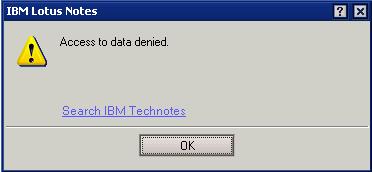
"Access to data denied" error when copying documents

Last week I ran into a very strange error on someone's Lotus Notes Citrix client ( version 8.5 ). When he would try to copy a document, Lotus Notes would generate an error "Access to data denied" and the document wasn't copied.


At first I figured it was a custom message on that specific database. However, I found that he could not copy any documents from other databases. I tried closing notes and re-opening and that didn't fix the issue.


My first thought was the clipboard file was corrupt. The clip board file is generated every time a Lotus Notes user copies documents. This file is located in the Lotus Notes user's /data/ folder and it is named ~clipbrd.ncf. In this instance ~clipbrd.ncf already existed in the /data/ folder. I deleted the file. I then tried to copy a document and it worked.

Wednesday, August 10, 2011

Switching users and managed replicas - 8.5.2 FP2

In my Lotus Notes client I have multiple location documents with links to notes.id when I am switching between Domino domains and servers. This saves me the hassle of reconfiguring a new client just for that Domino domain. The problem is my current setup is not configured for managed replica but one the user accounts I use is.

The other day I tried to open that user's managed replica mail file on their server using my current location and notes.id. The result? Very odd behavior. I was able to open the mail database on the server using my admin client without any errors. I check the bottom left location information for "on local" or "on server/server" and it shows "on server/server". When I click on File > Application > Properties I get the server field as server/server and type is Standard. I click on encryption settings and it says it's not encrypted. However when I go to click on a different folder ( or the same highlighted folder when I opened the database) I get "This database has local access protection (encrypted) and you are not authorized to access it" error.


I click Ok on the message and that folder is highlighted but I still see the contents of the folder that opened when I opened the database. Every folder I click on I get the above error but it still only shows the contents of the folder when I opened the database. Last I'm able to open documents in that original folder without errors. 

The issue must be with the client because the managed replica is stored on my Lotus Notes client and it is encrypted using my other location's notes.id. It seems that the getfolder function the client executes on the server's copy of the mail file is interrupted and redirected to the managed replica stored locally regardless of who is signed in. I'm guessing this is by design, just wish there was a way for IBM to code something to check the current location or current notes id and stop that from happening.

Friday, July 8, 2011

Google+ invites are back!

They're back! Quick, invite your friends!

Tuesday, July 5, 2011

Lotus Notes not showing when launched

Recently I had an issue with someone's Lotus Notes client not loading. They would double click their Lotus Notes icon, only the Lotus Notes splash screen / loading screen showed and the user could enter their password. After the password was entered, the splash screen disappeared. Then I would see nlnotes.exe and notes2.exe in the task manager, but Lotus Notes still didn't show.

I had the user reboot and that didn't work. Next I tried loading Lotus Notes 8.5.2 since they were at 8.5.1 and that didn't work. Next I reconfigured their client by erasing all lines in their notes.ini except the top 10, deleting ( moving ) all .nsf files in their data folder, and deleting ( moving ) all .ndk files. That didnt' work. Finally I deleted ( moved )the "workspace" folder in their /data/ folder. That finally worked. The workspace folder was about 2.5 gb!

Monday, June 27, 2011

Converting users from OOO agent to OOO service

Converting from Agent to Service Out Of Office ( OOO ) is pretty simple on the configuration side. A few things to remember before you change your mail server to Out of Office Service:

1. All mail users need to have Lotus Notes 8.x or above installed
2. All mail users need to have Lotus Notes 8.x or above mail templates
3. The Lotus Domino directory on the mail servers must have the new 8.x or above design template applied
4. All servers in a domino domain that are mail servers, included clustered servers, must have steps 2 and 3 complete
5. All servers in a domino domain that are mail servers, included clustered servers, must have their configuration documents setup for Out of Office Service. After this is configured, the server must be restarted for the OOO Service to work.


To setup the Out of Office Service on a server, open the server configuration document, go to Router/SMTP > Advanced > Controls. Under the Miscellaneous Controls heading and Out-of-Office type: change from Agent to Service

After this setting is configured, the server must be restarted for the Out of Office Service to work.

In one instance, after the server was configured and restarted, I had issues with existing OOO agents still running. I figured out that before the OOO Service was turned on, the users already enabled their OOO using the agent. Also, the users didn't have manager access to their mail files so when they enable and disable their OOO, an adminp request was generated. Here are the following steps I took to convert them to the OOO Service

First I opened the user's mail file ACL. I explicitly put my name in the ACL and gave myself manager access. Then I made myself the mail file owner through mail preferences. Close the mail file ( you might have to close all Lotus Notes windows ) and re-open

Next I opened the user's OOO preferences. I made a note of when they left and when they are coming back. This is important because we will disable their OOO and re-enable it.

Next I disabled the user's OOO.

Then using my admin client I opened the user's home server ( just so happens the user's home server is the administration server too ) and submitted a console command:
tell adminp process new

I waited a few minutes and went back to the user's mail file. Then I enabled their OOO using the dates I recorded before I disabled it.

Next I checked the admin client under Server > Status > Schedules > Agents, to see if the agent is still scheduled ( Also doing a tell amgr schedule to see the OOO schedule and see who is still running the agent OOO ). The status should show the OOO agent still running.

Next I disable that same user's OOO

Next I waited for agent to disappear from the Agents view in the admin client ( or from the amgr schedule )

Finally I enabled the user's OOO again. You can submit the command "tell router O" to display the active OOO users using the OOO Service. Verify that you see that user's OOO. At this point I changed the mail file owner back to the user, and removed myself from the ACL as manager of the mail file.


It might seem like a lot of disabling and enabling of the OOO but I had to do this for 12 people and this was the only process that worked for me.

References:

The IBM Lotus Notes and Domino Out of Office service: Best practices

Designating the Out of Office service type

Android Traveler 8.5.2.1 folder rename issue

Yesterday I tried to move 6 sub folders to make them root folders. Using my Lotus Notes client, I clicked and dragged them to the root. Then I noticed that the folders did not change on my Android Traveler "show folders" option. I didn't think much about it and went ahead and subscribed to those 6 root folders that were showing as sub folders in Traveler. Next thing I know I get a security execution alert when opening them in my Lotus Notes client and it is signed by my traveler server! After closing my notes and re-opening I found that my traveler server moved my root folders back to sub folders!

This actually makes some sense to me ( well not the moving of the folders back to sub folders ) but each folder is a design element with a unique ID. So when those folders are moved Traveler must not have the ability to recognize it ( at least in the 8.5.2.1 version ). I'm going to try and upgrade to 8.5.2.2 and see if the issue still exists.

As a work around I just created new folders and moved all my mail over and deleted the old folders.

Notes.ini file for this server is invalid

While installing and configuring another partition on a Lotus Domino server that already had 2 I ran into an interesting error. While configuring the new partition and clicked on finish I got the following error:


After some google searching I found a technote 1472522 explaining this issue for Lotus Domino 8.5.1 and 8.5.2 versions. It says to check the c:\windows directory for a notes.ini file and delete it. My server didn't have a notes.ini in the c:\windows directory. I did find one in the d:\lotus\domino program directory though. The way partition servers work is they have a notes.ini in their data folder. So I moved the notes.ini out of the program directory and the server setup completed without any more issues.


Update:  I just tried adding another partition to an existing domino server ( 8.5.2 32 bit ) and loaded the FP1 and there was the NOTES.INI in the domino program directory. The contents:


[Notes]
CFP_LP_BASE_VERSION=Release 8.5.2|August 10, 2010
CFP_LP_CURRENT=Release 8.5.2FP1|November 29, 2010            
CFP_LP_PREV=Release 8.5.2|August 10, 2010

So fyi it seems this will happen each time you install an additional partition